Published: June 15, 2026 | Category: Mobile Software | Read Time: 8 minutes
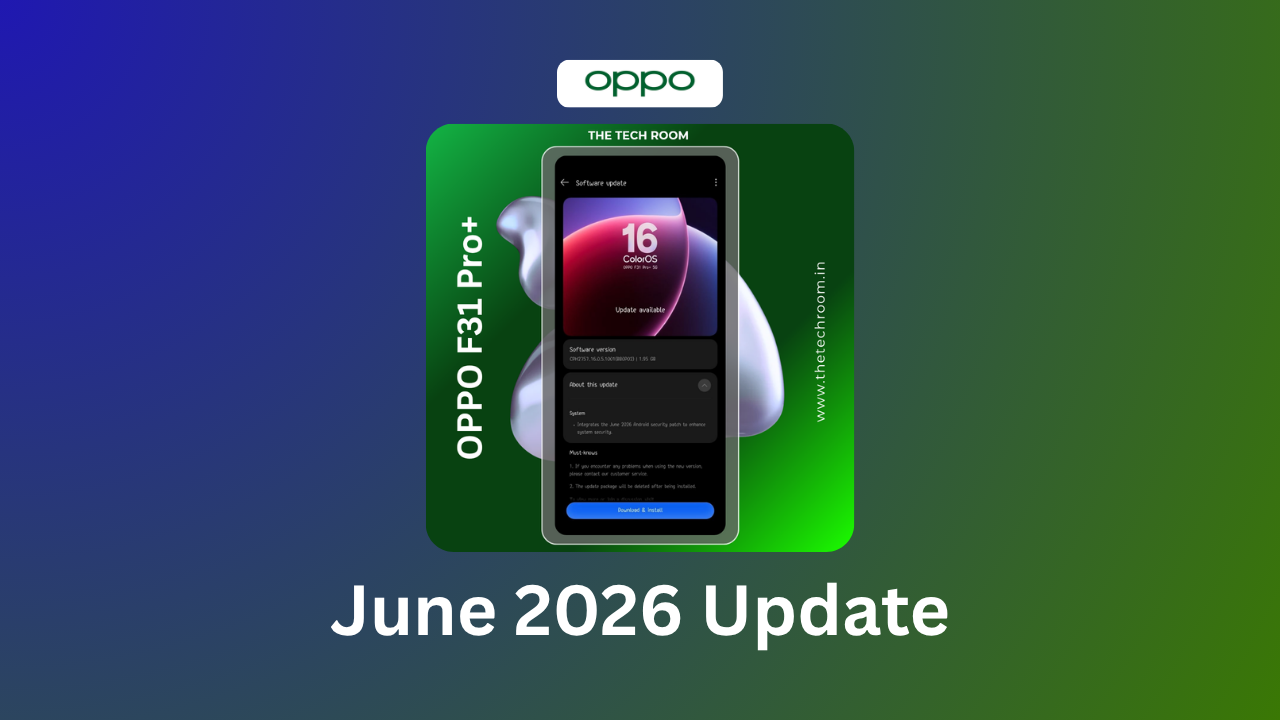
Breaking: OPPO Releases ColorOS 16-Based June 2026 Monthly Security Update
OPPO has officially begun rolling out the June 2026 monthly security update for its mid-range and budget smartphone lineup. This is a monthly maintenance update built on the existing ColorOS 16 platform, focusing on security patches, bug fixes, and system optimizations rather than major feature additions.
Multiple OPPO devices are now receiving this monthly update across different regions. If you own an OPPO device, this update is important for maintaining your device’s security and performance.
Which OPPO Devices Are Getting the June 2026 Update?
1. OPPO F31 Pro
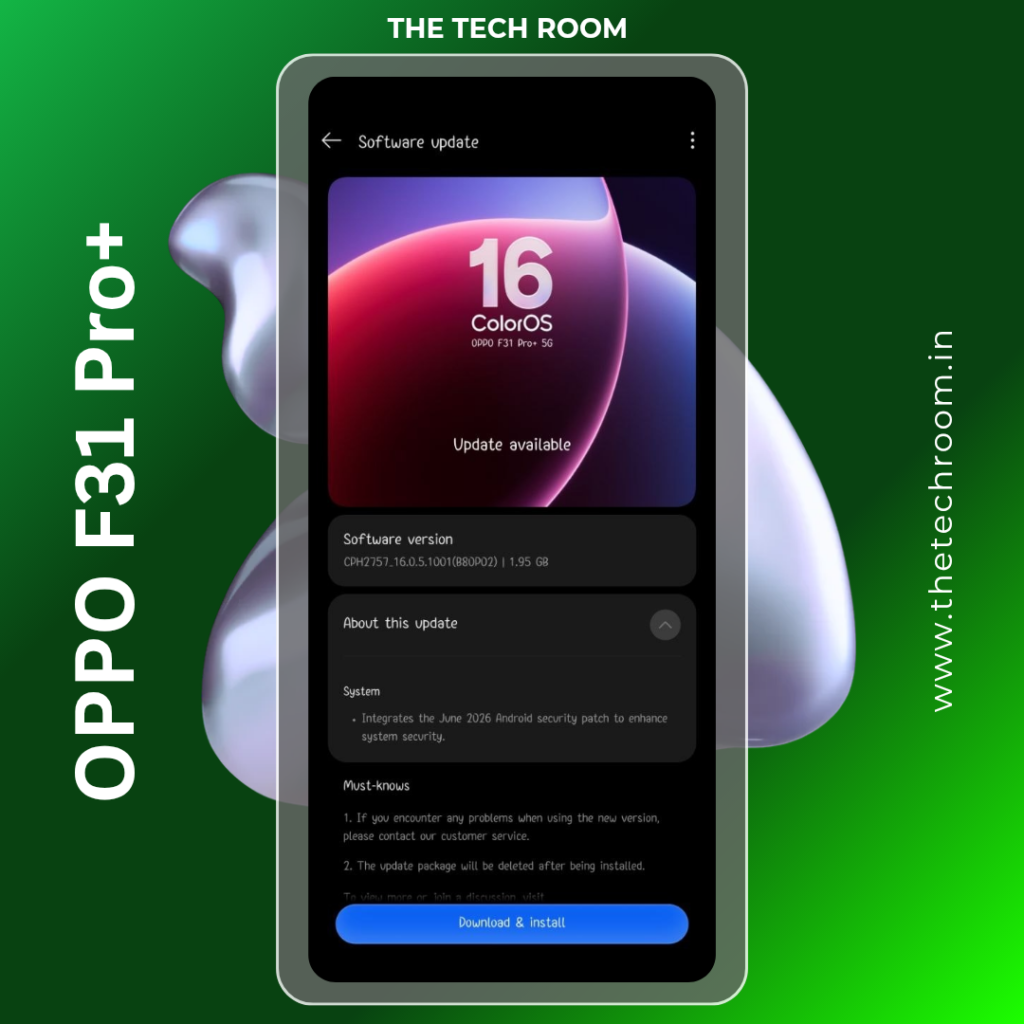
Users with OPPO F31 Pro are receiving the June 2026 monthly update.
Update Details:
- Software Version: CPH2757.16.0.5.1001
- File Size: ~1.95 GB
- Build: B80P02
- Type: Monthly security and stability update
- Status: Rolling out in phases
What’s Included:
- June 2026 Android Security Patch
- System stability improvements
- Bug fixes for reported issues
- Performance optimizations
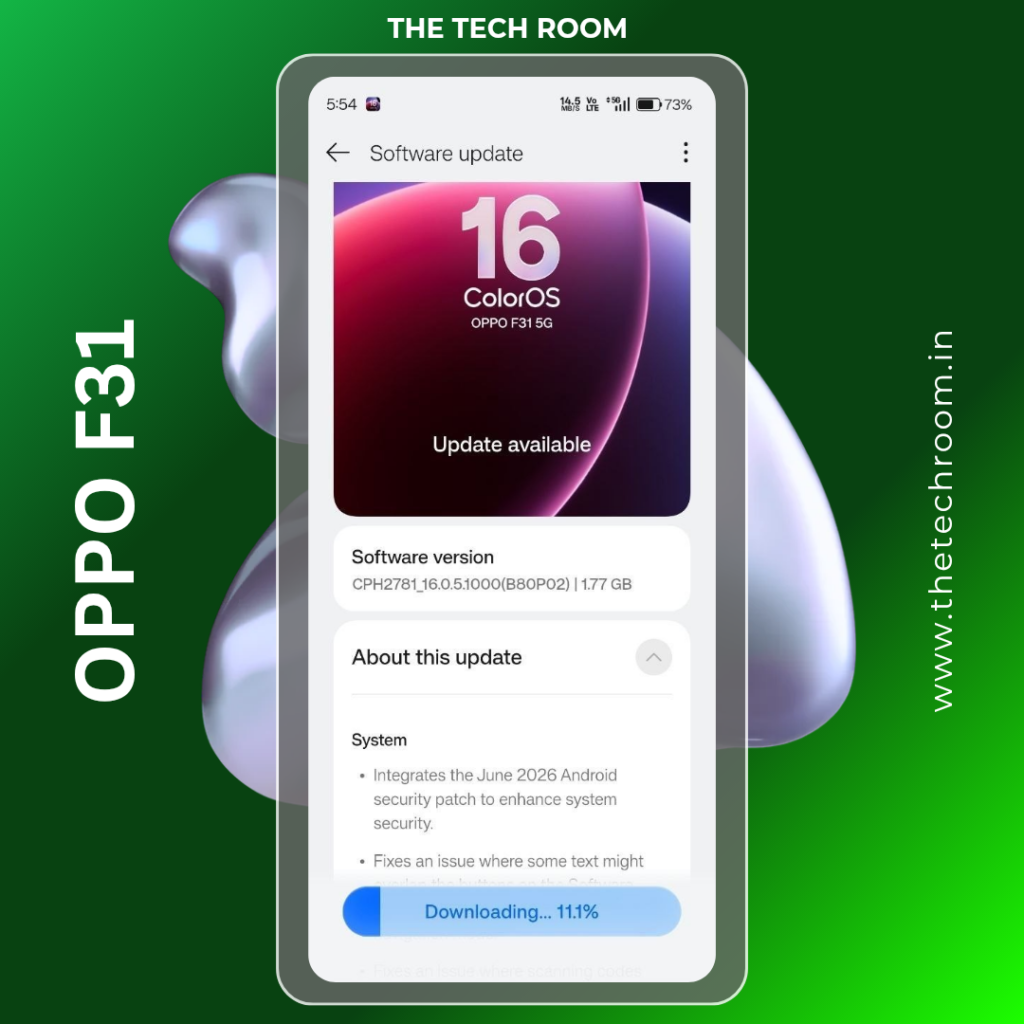
2. OPPO F31
The standard OPPO F31 is receiving the monthly June update with the same security patches and improvements.
Update Details:
- Software Version: CPH2781.16.0.5.1000
- File Size: ~1.77 GB
- Build: B80P02
- Type: Monthly security and stability update
- Status: Rolling out
3. OPPO A6x
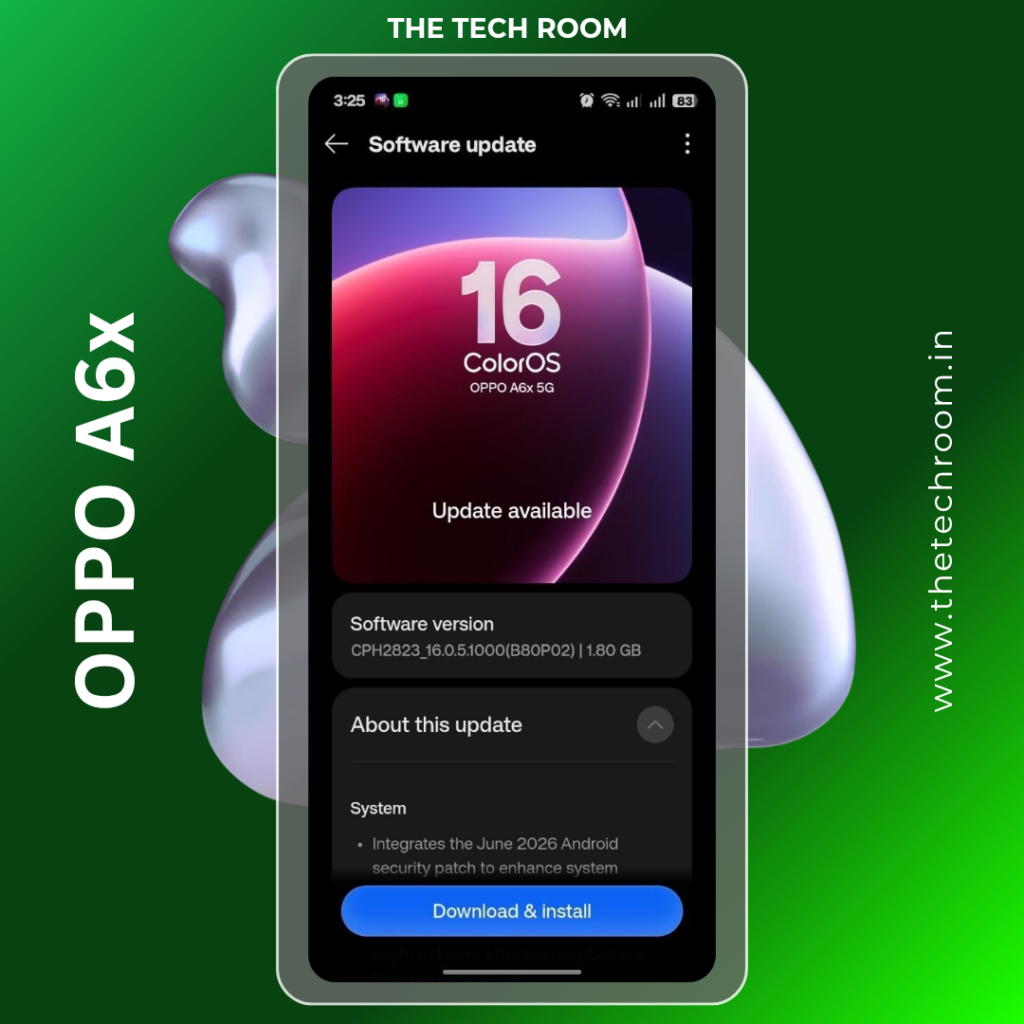
OPPO’s budget-friendly A6x is also part of the June 2026 security update rollout.
Update Details:
- Software Version: CPH2823.16.0.5.1000
- File Size: ~1.80 GB
- Build: B80P02
- Type: Monthly security and stability update
- Status: Available
4. OPPO K12x
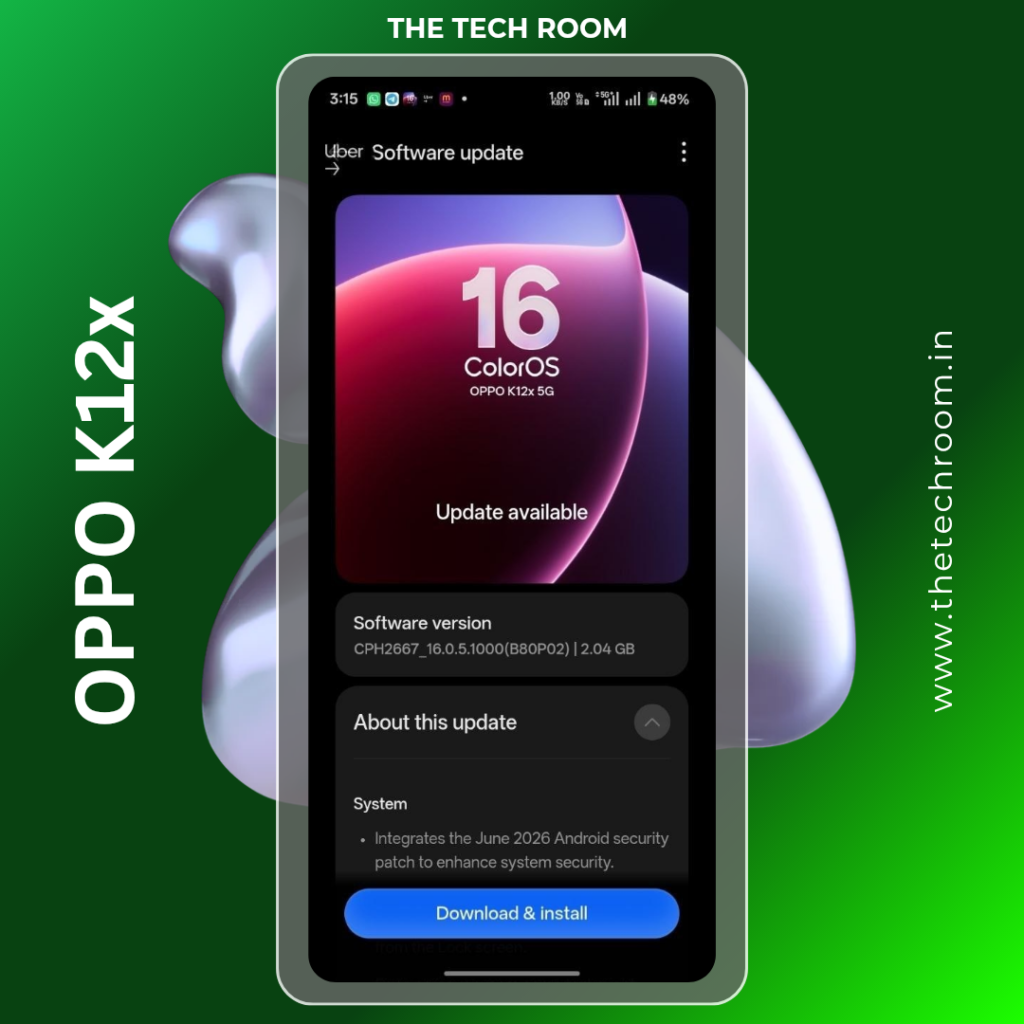
The OPPO K12x, popular in Indian and Asian markets, receives the monthly security update.
Update Details:
- Software Version: CPH2667.16.0.5.1000
- File Size: ~2.04 GB
- Build: B80P02
- Type: Monthly security and stability update
- Status: Rolling out
What’s Included in the June 2026 Monthly Update?
This monthly update is primarily focused on security, stability, and performance optimization. It’s not a major feature update but an important maintenance release.
1. June 2026 Android Security Patch
The most critical component of this update:
- Latest Security Vulnerabilities Fixed: Addresses all known security vulnerabilities discovered in May and June 2026
- System Hardening: Improves system-level security measures
- Kernel Updates: Security updates for the Android kernel
- Framework Patches: Fixes for Android framework vulnerabilities
- Third-Party Library Updates: Security patches for commonly used libraries
Why It Matters: Without security patches, your device becomes vulnerable to:
- Malware attacks
- Data theft
- Privacy breaches
- Unauthorized access
Installing this update is crucial for keeping your device secure.
2. System Stability Improvements
Beyond security, the update focuses on stability:
- Crash Fixes: Resolution of system crashes reported by users
- App Stability: Better stability when running apps
- Memory Optimization: More efficient RAM management
- System Freezes: Fixes for occasional freezing issues
- Restart Issues: Resolution of unexpected restarts
3. Bug Fixes and Improvements
The update addresses specific issues found in the previous version:
- Text Rendering Fix: Fixes an issue where “some text might not display properly” (as mentioned in official update notes)
- Display Issues: Improvements to how text and UI elements display in various apps
- Font Compatibility: Better rendering of different font types
- UI Responsiveness: Slight improvements to touch response times
- System Navigation: Smoother transitions between apps and screens
4. Performance Optimizations
While not a major performance overhaul, the update includes:
- App Launch Times: Minor improvements to app launch speed
- System Responsiveness: Slightly faster response to user input
- Battery Optimization: Better power management for longer battery life
- Thermal Management: Improved heat dissipation during use
- Background Process Optimization: Better management of background tasks
5. Connectivity Improvements
- WiFi Stability: Better WiFi connection stability
- Network Handling: Improved network switching between WiFi and mobile data
- Bluetooth Fixes: Any fixes for Bluetooth connectivity issues
- Signal Reception: Potential improvements to mobile signal handling
6. Camera and Display Fixes
- Camera Stability: Fixes for camera app crashes or freezes
- Photo Quality: Minor improvements to photo processing
- Display Color: Slight adjustments to display color calibration
- Touch Responsiveness: Improved responsiveness of touch in gallery and camera apps
Update File Sizes and Build Information
Here’s the detailed breakdown for each device:
| Device | Model | Software Version | File Size | Build | Security Patch |
|---|---|---|---|---|---|
| OPPO F31 Pro | CPH2757 | 16.0.5.1001 | ~1.95 GB | B80P02 | June 2026 |
| OPPO F31 | CPH2781 | 16.0.5.1000 | ~1.77 GB | B80P02 | June 2026 |
| OPPO A6x | CPH2823 | 16.0.5.1000 | ~1.80 GB | B80P02 | June 2026 |
| OPPO K12x | CPH2667 | 16.0.5.1000 | ~2.04 GB | B80P02 | June 2026 |
How to Install the June 2026 Update
Pre-Installation Requirements
Before starting, ensure:
✅ At least 50% battery charge (80%+ recommended) ✅ Stable WiFi connection (not mobile data) ✅ 3-4 GB of free storage space ✅ No important apps running in background ✅ Device is not being used during update ✅ Device remains plugged in during installation
Step-by-Step Installation Guide
Step 1: Download the Update
- Go to Settings > About Phone > System Updates
- Tap Check for Updates
- If update is available, tap Download (do NOT tap Install yet)
- Wait for download to complete (10-30 minutes depending on WiFi speed)
- You’ll see “Download completed” message
Step 2: Verify Installation Files
- Once download completes, the system may automatically verify the update
- Verification ensures no file corruption occurred
- Wait for verification to complete (takes 2-5 minutes)
Step 3: Install the Update
- Tap Install Now or Update Now
- Your device will display an installation confirmation screen
- Read the warning (do not interrupt installation)
- Tap Confirm or Continue
- Your device will restart automatically
Step 4: Installation in Progress
After restart, you’ll see:
- Installation progress bar
- Status messages like “Installing system update…”
- Multiple restarts (normal, don’t interrupt)
- Temporary “OPPO” logo screens during reboots
- Installation typically takes 15-30 minutes
Step 5: Optimization Phase
After installation:
- Device boots normally
- System optimization runs in background (24-48 hours)
- You can use your device immediately
- Don’t be alarmed if performance seems slightly slower initially
Step 6: Confirm Update Success
- Go back to Settings > About Phone
- Check Software Version (should show new version)
- Check Build Number (should show B80P02 or similar)
- If these changed, update was successful
Important Do’s and Don’ts
DO:
- ✅ Plug device in during entire installation
- ✅ Stay connected to WiFi throughout
- ✅ Be patient (installation takes 15-30 minutes)
- ✅ Let device restart multiple times naturally
- ✅ Wait for “Installation complete” message
DON’T:
- ❌ Turn off the device
- ❌ Remove the battery (if removable)
- ❌ Force restart the device
- ❌ Interrupt WiFi connection
- ❌ Use the device during installation
- ❌ Disconnect the charger
THE TECH ROOM